Tuesday, July 9, 2013

import excel data to sql server

First Create Table, it is better to name as sheet column name.
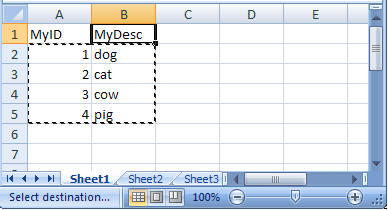
Then Copy the data  [ Ctrl + C ]
import excel data to sql server

Go to Table Right Click and select Open Table

import excel data to sql server
Now left Click
import excel data to sql server
The Area will be highlighted now right click and paste
import excel data to sql server
Happy Excel ...data is in sql now..
import excel data to sql server

Friday, July 5, 2013

Web Developer Must Know

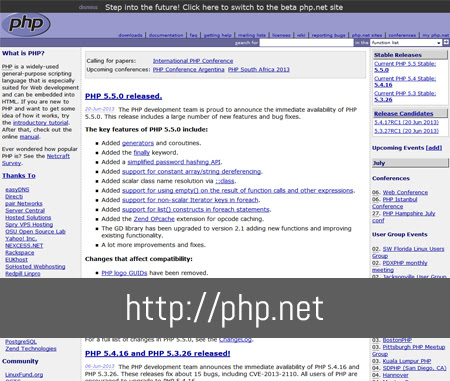
1) php.net : For Php information php.net is the best site.

Web Developer Must Know


2) Git hub : Very powerful repository where most of the majority of source code plug-ins, frameworks and libraries.
Web Developer Must Know


3) Stackoverflow.com :  It has very big database of question answer.Most of the question are resolved here easily
Web Developer Must Know


4)  net.tutsplus.com   : It is a used for tutorial purpose here you can find the tutorial in all format that is audio, video and text.
Web Developer Must Know


5) jsfiddle.net. A very popular resource for testing JS, CSS, HTML. Here you can save the example and share the link with you friends.

Web Developer Must Know


6) fontsquirrel.com  This site made very easy to generate font face.


Web Developer Must Know

7)lipsum.com and lorempixel.com.  Two popular resources for filling and testing content. You can also generate text for different formats. The second one generates images by the subject and size.

Web Developer Must Know


8) prefixr.com This great resource is for anyone who bothers to put prefixes in their css code. It is very simple to use, just copy the code and resources will give re-generated code with prefixes.

Web Developer Must Know


9) caniuse.com This is an informative resource which contains information about certain technologies supporting browsers. It is always updated and the information is very useful for web developers who follow the trends.
Web Developer Must Know

10) css3generator.com This is a great generator for the majority of CSS3 styles. it offers a very easy and simple generator for those who do not remember the syntax.
Web Developer Must Know

DotnetNuke download free


DotnetNuke Its Free

DotNetNuke (DNN) is one of the leading Open Source web CMS apps for Microsoft ASP.NET, claiming it powers over 700,000 production websites worldwide. DNN offers a free version – the Community Edition – as well as two paid editions – Professional and Enterprise. A handy feature comparison chart is available on the DNN website.

DotnetNuke download free


Click here to download
You can also download this Community CMS from codeplex : download

Download DNN Skin : http://www.dnnskins.com

Dnn Tutorial : http://www.howiusednn.com/

Tuesday, July 2, 2013

Textbox as circle, Rectangle

 <asp:TextBox ID="myoval" runat="server"></asp:TextBox>
 <asp:TextBox ID="TextBox1" runat="server"></asp:TextBox>


Aplly CSS

<style>
    #myoval {
width: 200px;
height: 200px;

border-radius: 213px 213px 213px 213px;
}
#TextBox1
{width: 400px;
height: 200px;
    }
</style>

Thursday, June 27, 2013

Developer Common Mistake

String Concatenation

They Used String to append , here each time when you add something , a new address is being allocated in the memory.
Whereas in String Builder same address is gets modified.

//INCORRECT
List values = new List(){"This ","is ","Sparta ","!"};
string outputValue = string.Empty;
foreach (var value in values)
{
   outputValue += value;
}


//CORRECT
StringBuilder outputValueBuilder = new StringBuilder();
foreach (var value in values)
{
   outputValueBuilder.Append(value);
}

Not using mapping for rewriting properties

Not Using powerful C# mapper : - http://automapper.org/ 

Using ‘foreach’ instead of ‘for’ for anything else than collections

IF it not a collection then use for loop  is much more efficient than using the ‘foreach’ loop.